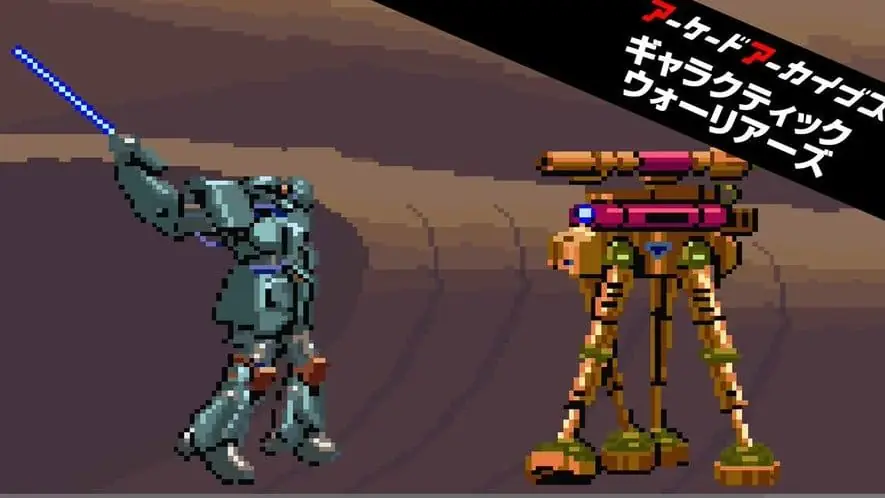
Galactic Warriors is this week’s release in Hamster Corporation’s Arcade Archives and Arcade Archives 2 lines of weekly emulated arcade titles, following on from last week’s release of Tokyo Wars, on which we previously reported.
This week’s release is getting on a bit, as it was originally released in 1985, which makes Galactic Warriors 40 years old, and despite its age, this would appear to be the first time that Galactic Warriors has been released for home formats! The game is a robot fighting game by Konami, in which players choose from one of three mechs (Samson, Gaea, and Poseidon) to take part in a robot fighting event.
The Arcade Archives versions of the game offer a number of play modes, which are: Original Mode, Hi Score Mode and Caravan Mode; and the Arcade Archives 2 versions also add a new Time Attack Mode.
The Arcade Archives version of Galactic Warriors was released today (13th November 2025) for Nintendo Switch and PlayStation 4, priced at $7.99; with the Arcade Archives 2 version out on Nintendo Switch 2, PlayStation 5, and Xbox Series X|S, priced at $9.99. As usual, purchasers of the Arcade Archives version on PlayStation 4 can upgrade to the Arcade Archives 2 version on PlayStation 5 for $2.99, as can purchasers of the Arcade Archives version on Nintendo Switch, who can upgrade to the Arcade Archives 2 version on Nintendo Switch 2 for $2.99.